Free Restaurant Menu Creator
Create professional digital menus in 5 minutes. No credit card required, unlimited everything, and it's free forever.
Why Is Our Menu Creator 100% Free?
We believe every restaurant deserves access to professional digital tools, regardless of size or budget.
No Hidden Costs
Unlike competitors charging $15-50/month, we're completely free with no hidden fees, ever.
Instant Access
Start creating your menu immediately. No credit card, no waiting, no approval process.
Everything Included
Importing your PDF menu, dish photos, allergens, AI translation and a QR code with your logo are part of the free menu creator, not paid add-ons.
From the menu you have to the QR code on the table
Three steps. Most restaurants finish on the first day.
-
1
Upload your menu, or write it
A PDF or photos of the printed menu are enough — the digitizer extracts sections, dishes and prices. Or start from a blank menu in the editor.
-
2
Add photos, allergens and prices
Fix anything the digitizer got wrong, add a photo per dish, tag the 13 EU allergens and set more than one price for a dish if you need to.
-
3
Print the QR code and put it on the table
One QR code for all your menus. Change a price and the same code keeps working, so there is nothing to reprint.
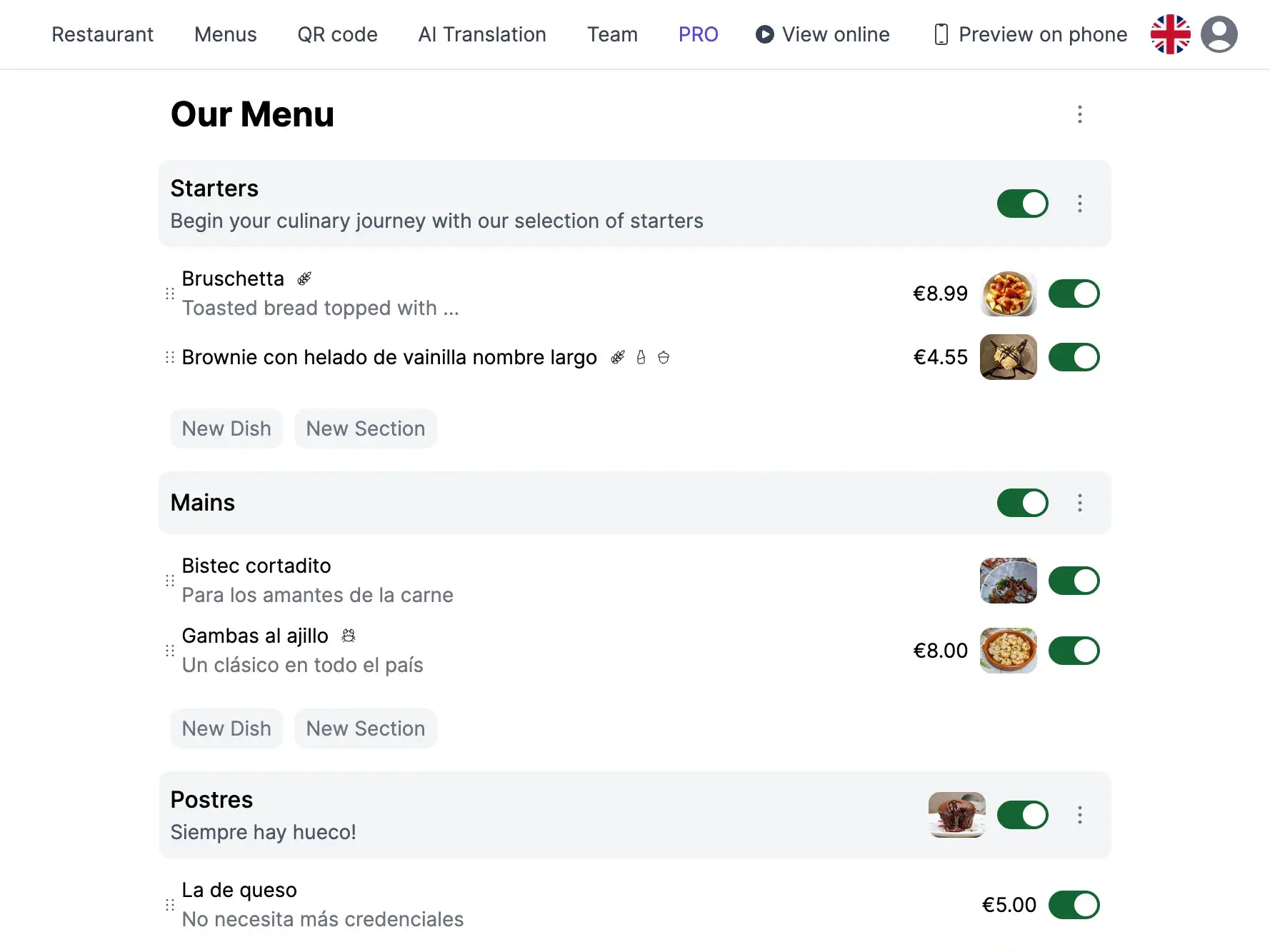
A QR menu with photos, allergens and translations
What your guests get on their phone. Everything on this page is included in the free plan.
-
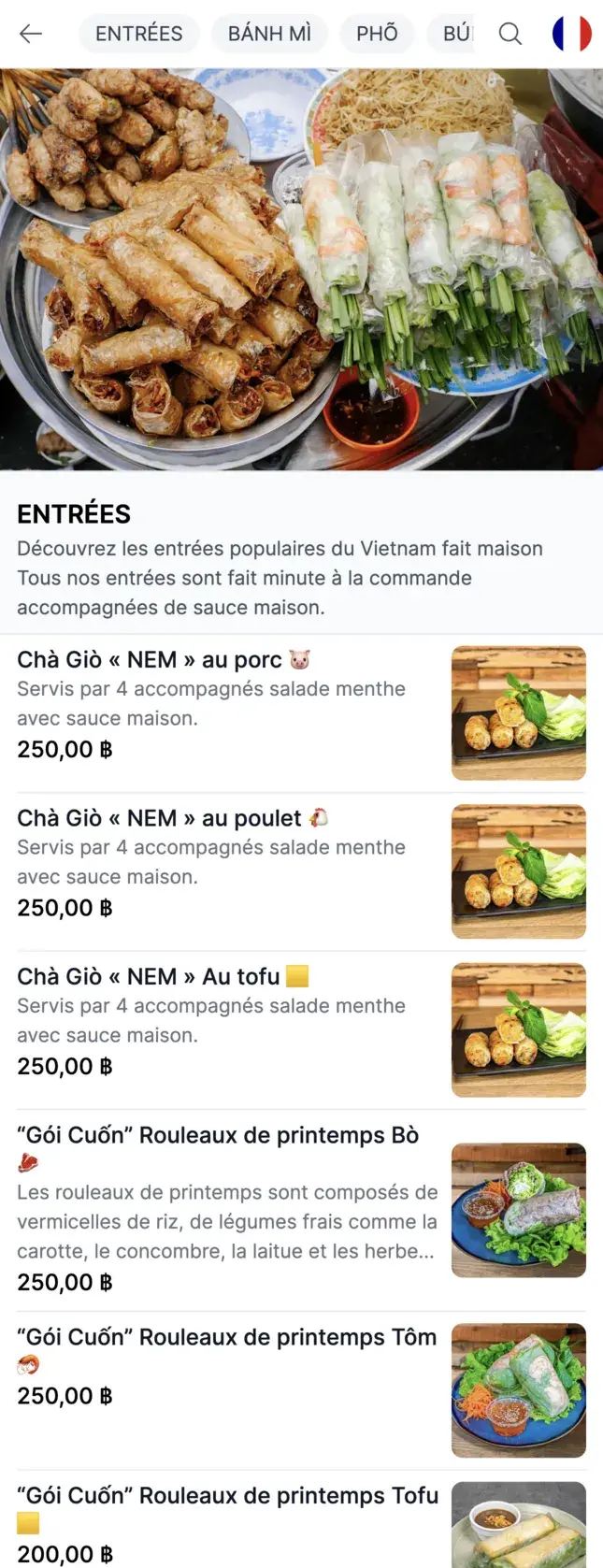
Your menu on any phone, with photos -
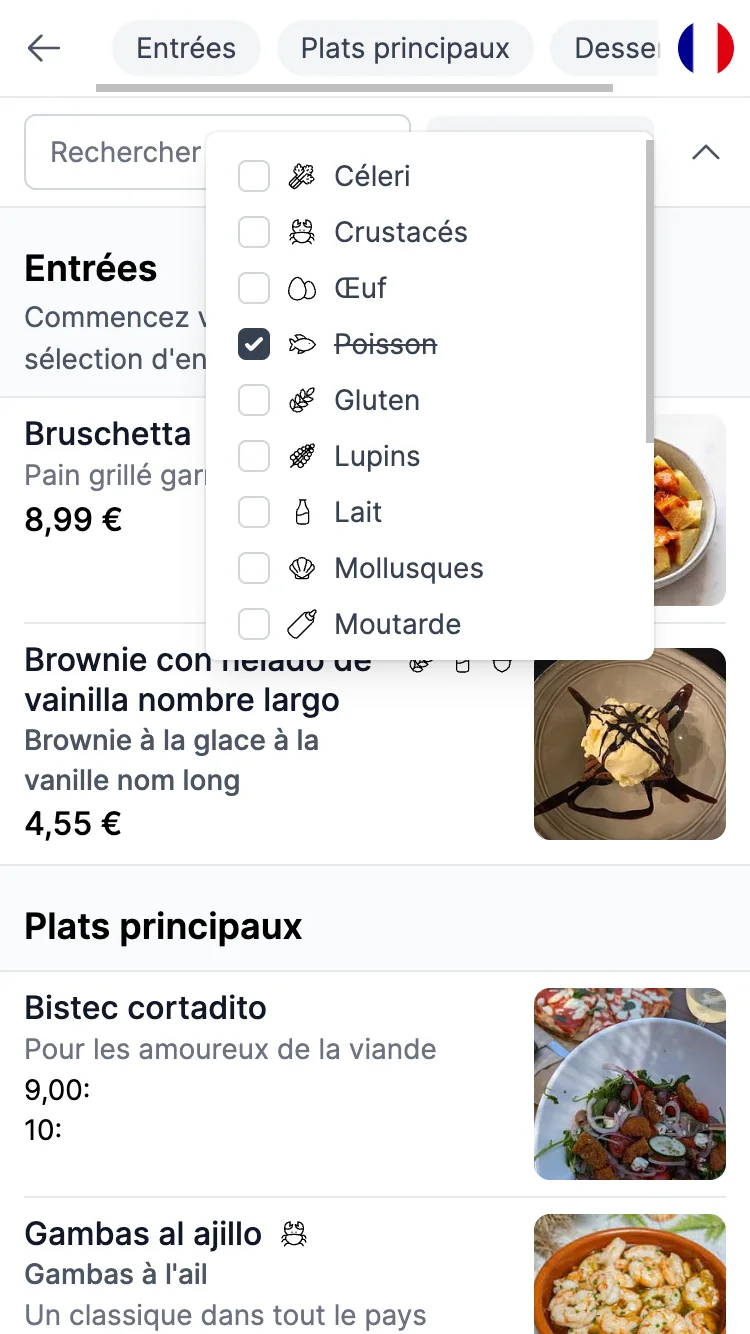
The allergen filter your guests use on their own -
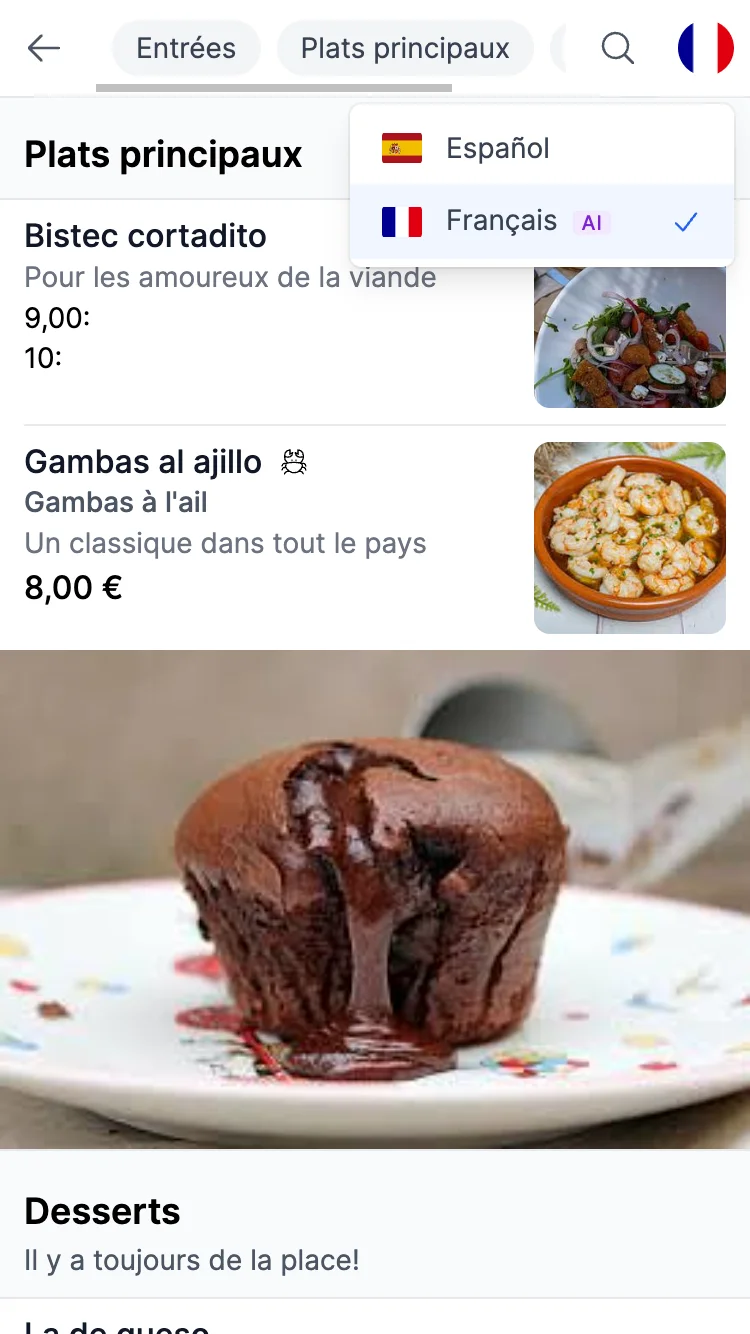
Translated by AI into the guest's language -
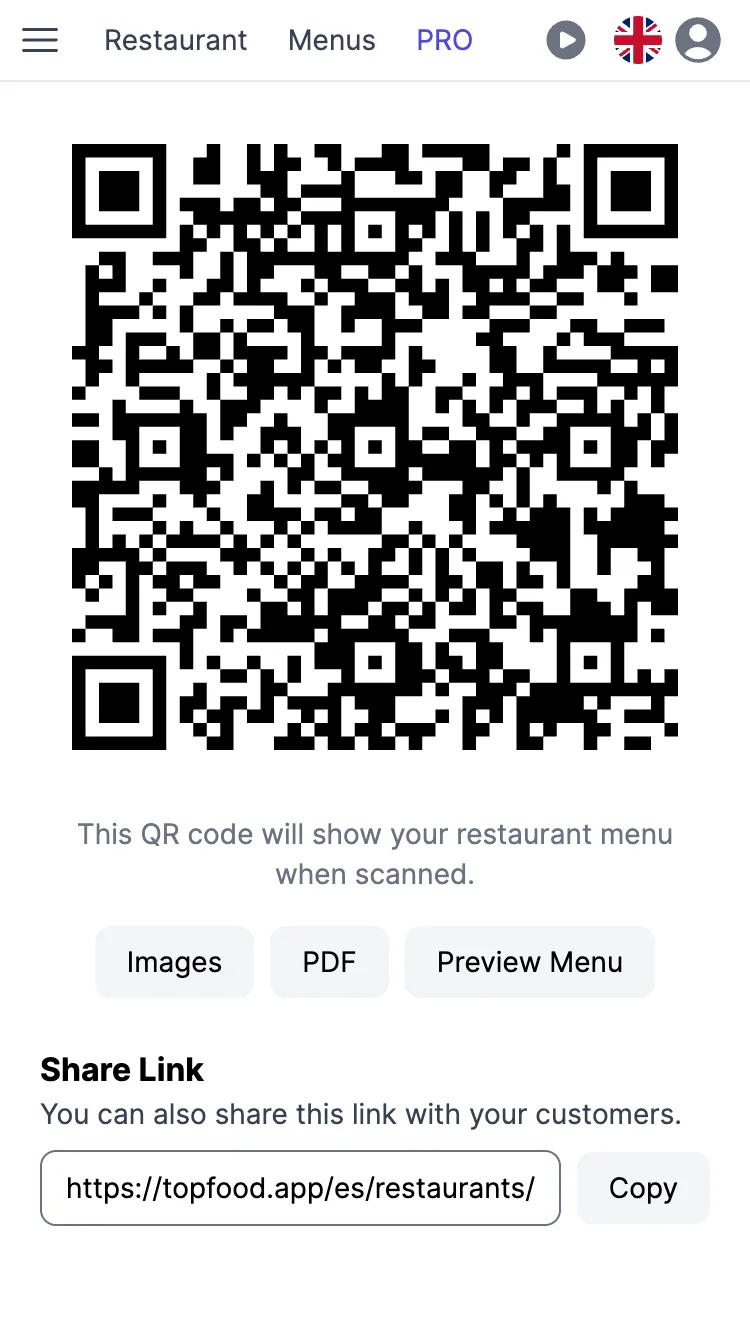
The QR code page, ready to print
Everything in this list is free, forever
- Unlimited menus
- Unlimited sections & dishes
- Customizable QR codes with your colours and logo
- Allergen management
- Smart search functionality
- AI menu translation
- Allergen filtering
- Multiple pricing options
- Instant sharing
- Mobile optimized
- Free support
- Unlimited users
See How Much You'll Save
Compare our free solution to expensive competitors
Expensive Competitors
Top Food App
Save $200-600+ per year with our free solution!
See how we compare with the alternativesFrequently Asked Questions
Is Top Food App really free forever?
Yes. Top Food App is 100% free with no hidden fees, no credit card required, and no usage limits. You can create unlimited menus, sections, and dishes — all at no cost, forever.
Can I import the menu I already have instead of typing it again?
Yes. Upload a PDF or photos of your printed menu and the menu digitizer extracts the sections, dishes and prices for you. You check the result, fix anything it got wrong and publish — no retyping. It is free.
Do I need technical skills to create a menu?
No. You can create and publish a professional digital menu in less than 5 minutes using our simple editor. No coding, no design experience, and no technical knowledge needed.
Can I add photos of my dishes to the menu?
Yes. Add a photo to every dish and to the menu itself, at no cost. Menus with photos help guests choose and look better on any phone.
Can I translate my menu into other languages for tourists?
Yes. AI menu translation is included for free. Pick a language and the whole menu — dish names, descriptions and sections — is translated automatically, so foreign guests understand every dish. No copying and pasting into a translator.
Can I put my logo and my colours on the QR code of my menu?
Yes, for free. Choose the shape of the small squares and of the three corners, your own colours or a two-colour gradient, and put your logo or your initials in the middle. Every design is checked before it is saved, so a QR code that does not scan never reaches your tables.
Can I show the allergens of each dish on my menu?
Yes. Tag every dish with the 14 allergens of EU Regulation 1169/2011 — gluten, milk, nuts, egg and the rest. Guests see them next to each dish and can filter the menu to hide anything they cannot eat.
Can I change the design and colours of my menu?
Yes. Choose one of 15 ready-made themes — trattoria, midnight, coastal, zen, rosé and more — and your menu changes its colours and fonts instantly. You can switch theme whenever you want.
Can my customers view the menu without downloading an app?
Yes. Customers simply scan your QR code with any smartphone camera and the menu opens instantly in their browser. No app download required on either side.
How many menus and dishes can I create?
Unlimited. There are no artificial limits on the number of menus, sections, or dishes. Whether you run one café or multiple locations, everything is included at no cost.
Can I update the menu after I've printed the QR code?
Yes. You can change prices, add dishes, or reorganize sections at any time — the QR code always points to your latest menu. You never need to reprint the QR code.
Helpful Guides
Free Allergen Menu for Restaurants
Tag 14+ allergens, comply with EU 1169/2011 and Natasha's Law, and let customers filter dishes by allergy.
AI Menu Translation
Translate your whole menu with AI so tourists understand every dish, without copying and pasting.
Free QR Code Generator
Design a QR code with your colours and logo for any web address. No sign-up needed.
How to Make a Digital Menu
Step-by-step guide to creating, publishing, and sharing your digital menu with a QR code.
Create a Menu with Photos
Why dish photos sell more and how to add them to your digital menu.
Update Your QR Menu in Real Time
Change prices and dishes instantly — no reprinting, no stickers, no delays.
Free Restaurant Feedback Form
Diners rate and write in their own language; you read it in yours, privately.
Ready to Start Saving Money?
Create your free restaurant menu today. No credit card required, start in 5 minutes!
Create Your FREE Menu Now✓ No credit card required ✓ Free forever ✓ Setup in 5 minutes